![JN_Logo_Long-White@1x.png]](https://support.jobnimbus.com/hs-fs/hubfs/JN_Logo_Long-White@1x.png?height=40&name=JN_Logo_Long-White@1x.png)
Disconnecting from QuickBooks:
Disconnecting the sync is not recommended as a general troubleshooting step. Most settings changes and troubleshooting can be made with the sync still in place.
Please Note: If you plan on reconnecting the sync we highly recommend contacting our QuickBooks Support Team to ensure a smooth reconnection process. In preparation please take a screenshot of your current sync settings before the disconnect so you can set the sync back up the same way.
Disconnecting the sync will not delete or remove any records from either system but it will break the link between the record in JobNimbus and the record in QuickBooks for all record types. Reestablishing that link when reconnecting will follow the same rules as a new setup (ex: display names will need to be identical to link back up).
Disable QuickBooks Online:
- Settings
- Accounting Sync
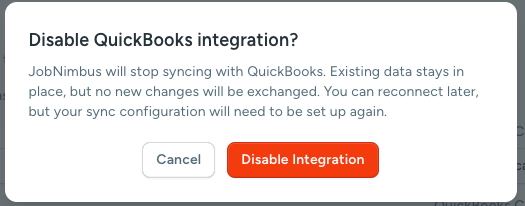
- Select "Disable QuickBooks Integration"
- On the pop-up, Disable QuickBooks Integrations? click 'Disable Integration'