![JN_Logo_Long-White@1x.png]](https://support.jobnimbus.com/hs-fs/hubfs/JN_Logo_Long-White@1x.png?height=40&name=JN_Logo_Long-White@1x.png)
Note: This task requires Settings access. If you don't see the Financing option, ask an admin to connect the account for you.
Connecting Your Account
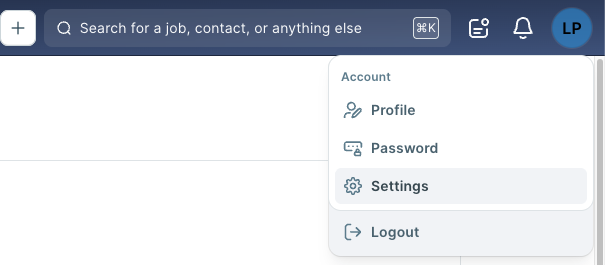
- Click on your profile icon or initials in the top right corner. Then, select Settings from the dropdown menu.
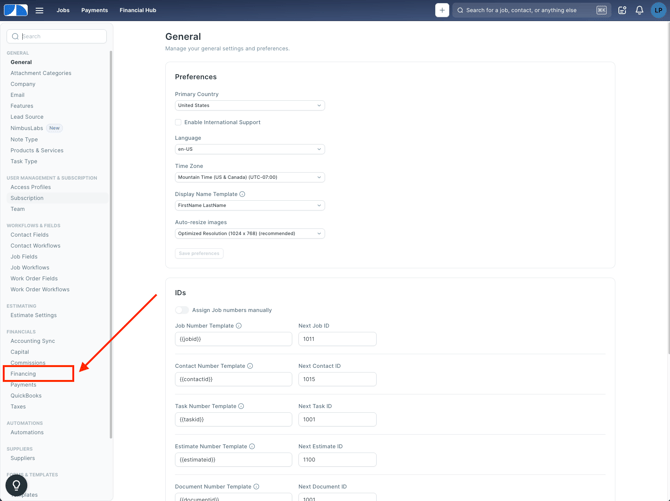
- In the Settings menu on the left-hand side, under Financials, select Financing.
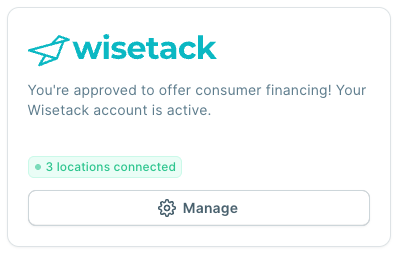
- Find the Wisetack card. If your account is active, it reads "You're approved to offer consumer financing."
Managing Locations
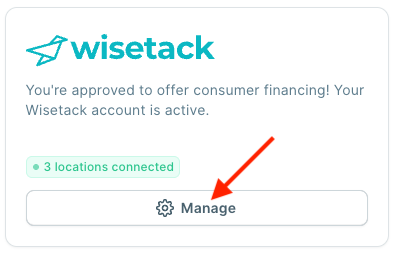
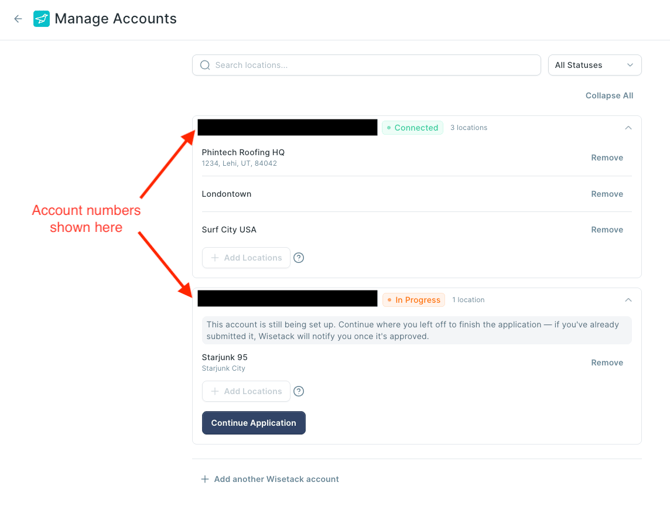
- Select Manage on the Wisetack card to open Manage Accounts.
- Review your connected account and the locations it covers.
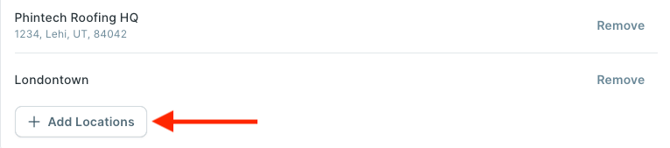
- Select Add Locations to add locations.
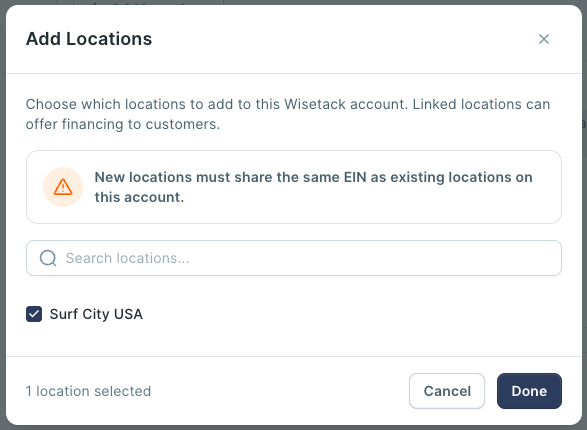
- Check the box on any location you want to add and select Done.
Note: Every location connected to your account can offer financing on its own Jobs.
Applying for a New Account
If your company doesn't have a Wisetack account yet, apply from the Manage Accounts page. Wisetack asks for your company's Federal EIN, basic information on anyone who owns 25% or more of the business, and a business bank verification. Wisetack doesn't run a personal credit check on the business itself.
If you already use Wisetack outside JobNimbus, connect your existing account instead of creating a new one. You'll keep the same lender relationship with fewer steps.
Progress Payments, which splits a loan into two payouts, needs a separate application once your account is connected. Check out What Are Progress Payments? to learn how to apply.
Tip: Check out Who Supports Wisetack? to learn how to reach Wisetack directly with account or application questions.