![JN_Logo_Long-White@1x.png]](https://support.jobnimbus.com/hs-fs/hubfs/JN_Logo_Long-White@1x.png?height=40&name=JN_Logo_Long-White@1x.png)
This article pertains to users who signed up for JobNimbus prior to March 2026. For information about new subscriptions, check out How Do I Manage My JobNimbus Subscription?
Roles
The way in which you decide what feature(s) a team member can access is by assigning them to a role.
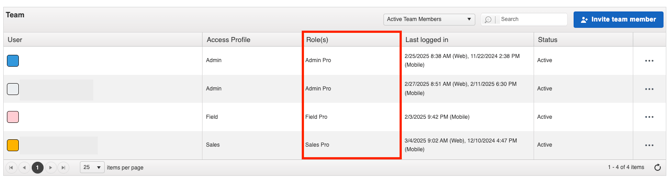
Details about each role can be found on the Manage Subscription page in your account settings.
Seats
The number of seats you purchase for a role indicates how many unique users will be given that level of access to JobNimbus features.

When you manage your Subscription, you can add seats to a role under their respective section.
Note:
- Deactivating a team member does not automatically reduce the number of seats for which you are paying. You will need to contact your Customer Account Executive to remove seats from your subscription.
- No refunds or credits will be provided if you fail to decrease the number of seats at any point during the billing cycle.