![JN_Logo_Long-White@1x.png]](https://support.jobnimbus.com/hs-fs/hubfs/JN_Logo_Long-White@1x.png?height=40&name=JN_Logo_Long-White@1x.png)
When setting up your QuickBooks Online, you will be able to choose which record types sync between QuickBooks Online and JobNimbus.
Note: The sync has a hierarchy—contacts must sync first, then jobs, and then you can choose to sync Estimates and/or invoices. Products must sync first to sync transactions, and invoices must sync first to sync payments.
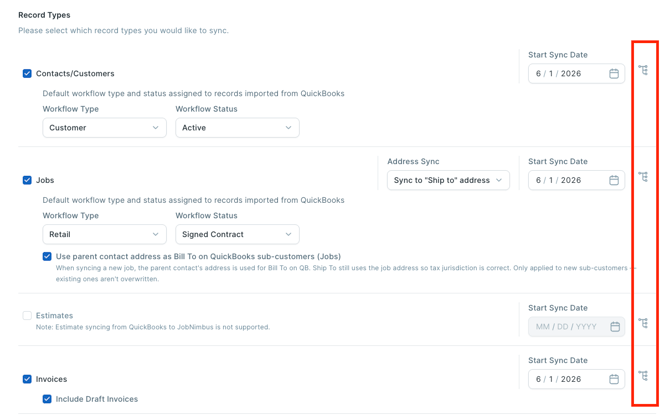
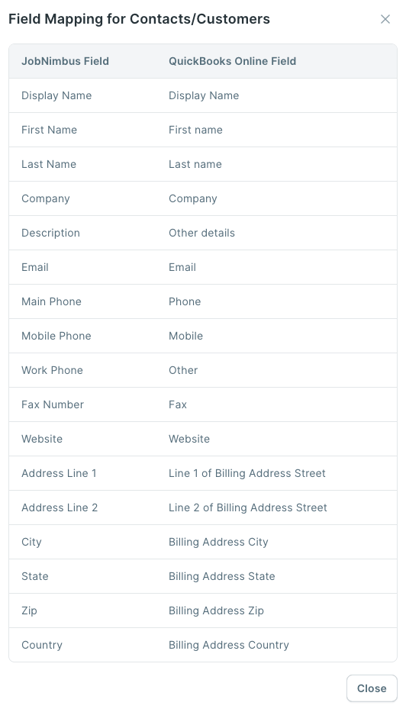
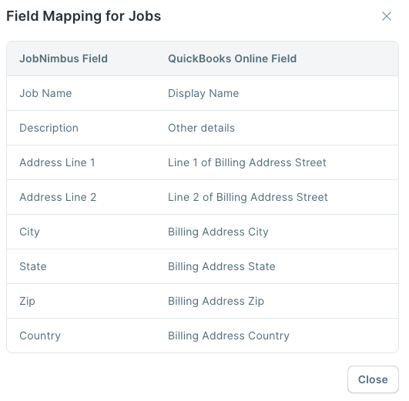
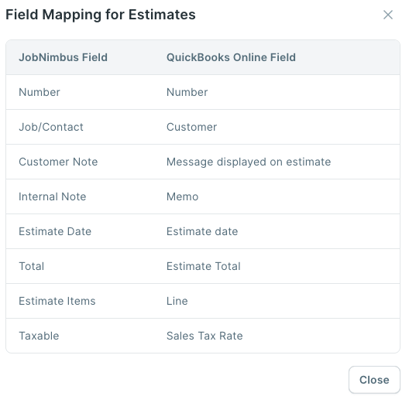
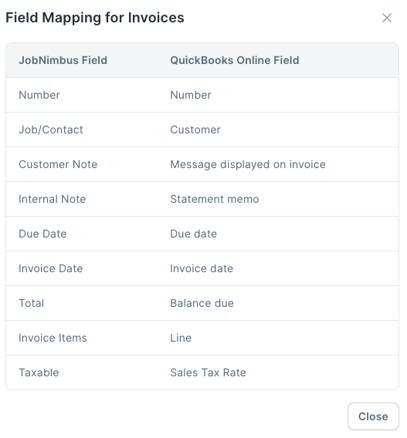
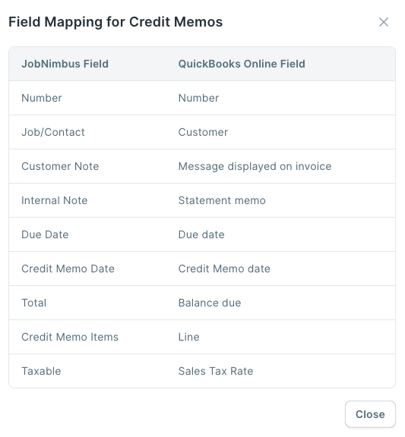
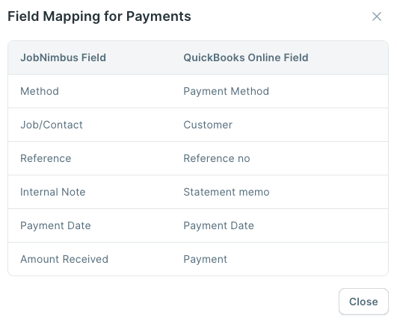
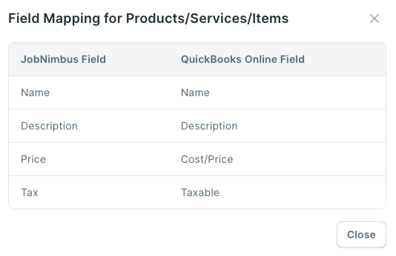
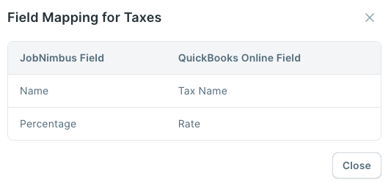
To choose a Record Type to sync, check the box to the left of the Record Type. You can click the hierarchy icon (see screenshot) to see how a field in JobNimbus is mapped to QuickBooks.
- Contacts
- Jobs
- Estimates
- Invoices
- Credit Memo
- Payment
- Products
- Taxes (this field is a one-way sync from QuickBooks)
Constraints:
-
Vendors do not sync. You should have QuickBooks unchecked on your Vendor contact workflows in settings. If checked, they will come into QuickBooks Online as a customer, and there isn't a way to edit them.
- If you have multiple locations in JobNimbus, all of the information, regardless of location, can only be synced to a single QuickBooks Online file.
- Projects: JobNimbus cannot create a project in QuickBooks. Enabling the sync for projects will only import them from QuickBooks as a job with the same mapping as Jobs.
- JobNimbus matches the payment types in QuickBooks Online automatically by name. If the payment method is not mapped properly the method will simply show as "none":
- JobNimbus Credit Card: QuickBooks payment method where type is Credit Card
- JobNimbus Check: QuickBooks payment method where the method name is "check or cheque" and the type is not Credit Card
- JobNimbus Money Order: QuickBooks payment method where method name contains "moneyorder or money or order" and the type is not Credit Card
- JobNimbus Bank Wire: QuickBooks payment method where method name contains "bank or e-transfer or direct debit or wire" and the type is not Credit Card
- JobNimbus Finance: QuickBooks payment method where method name contains "finance or loan" and the type is not Credit Card