![JN_Logo_Long-White@1x.png]](https://support.jobnimbus.com/hs-fs/hubfs/JN_Logo_Long-White@1x.png?height=40&name=JN_Logo_Long-White@1x.png)
To send an Estimate for signature, see How Do I Send Estimates for Signing or Sign In-Person?
Why a Signed Estimate Is Locked
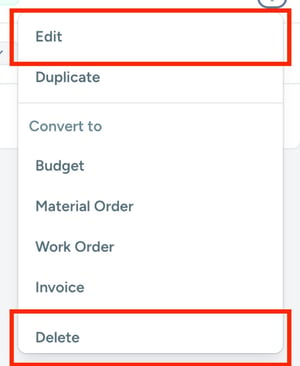
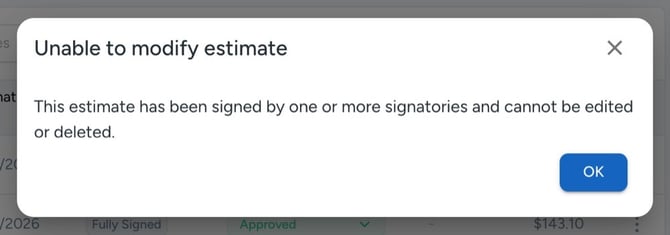
Once an Estimate is signed, JobNimbus locks it to protect the approved record. If you select Edit or Delete on a signed Estimate in JobNimbus Web, this message appears: “Unable to modify estimate. This estimate has been signed by one or more signatories and cannot be edited or deleted.”
This is expected behavior, not a problem with your account.
Making Changes to a Signed Estimate in JobNimbus Web
- Open the Job and select the Estimates tab.
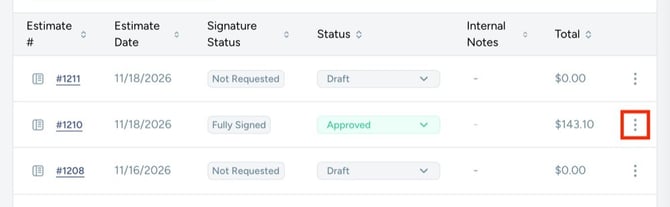
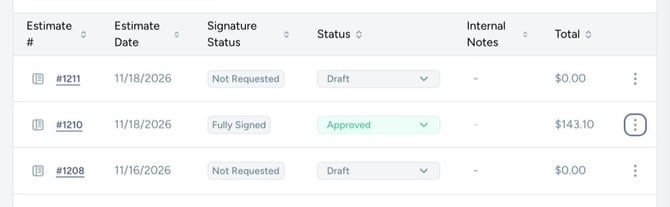
- Select the three dots on the far right of the signed Estimate.
- Select Duplicate.
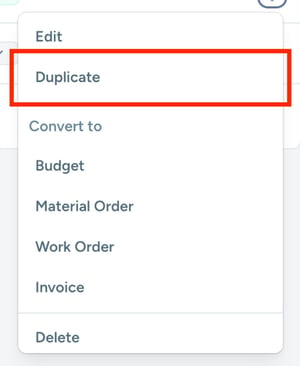
- Make your changes in the new Estimate. The copy opens as a Draft with a Signature Status of Not Requested.
- Send the new Estimate for signing. See How Do I Send Estimates for Signing or Sign In-Person? for the steps.
The original signed Estimate stays on the Job as it was. The duplicate needs its own signatures.