![JN_Logo_Long-White@1x.png]](https://support.jobnimbus.com/hs-fs/hubfs/JN_Logo_Long-White@1x.png?height=40&name=JN_Logo_Long-White@1x.png)
Note: JobNimbus Financing will be entering Nimbus Labs beginning September 7th. If you have questions, please reach out to your Customer Account Executive for details.
On This Page
Note: Financing may already be turned on in your Estimate layout. Check the steps below before assuming it needs to be added.
Adding Financing to an Estimate on Web
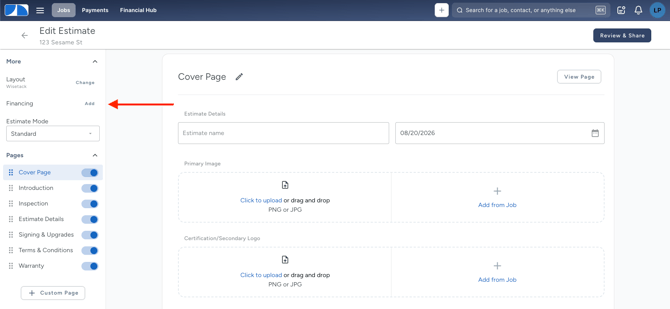
- Open the Estimate, and in the left menu under More, select Add next to Financing.
- Select the Enable Financing toggle to turn it on and select the financing option you want to enable.
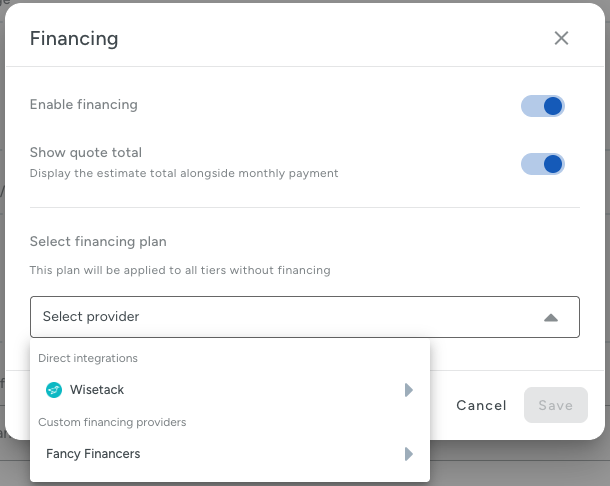
To split the loan into two payouts, turn on the Progress Payments toggle, then enter the percentage due when the Job starts. If Progress Payments is on, a Financing Payouts section appears at the bottom of the page below the Estimate Summary. This section shows each estimate option's payout amounts, based on that option's total. - Select Save.
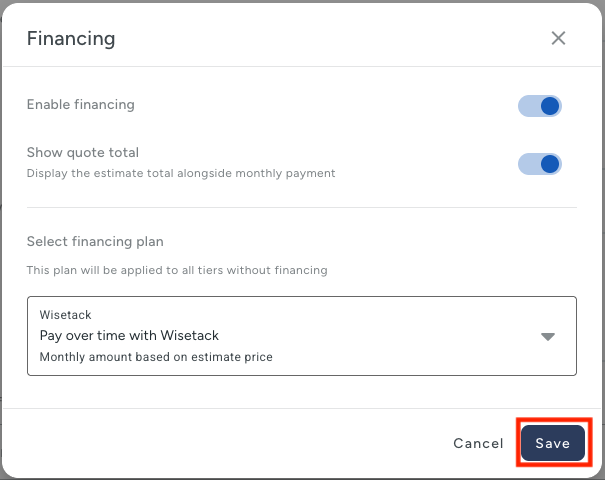
Once financing is on, select Estimate Details to see the calculated monthly payment for each Estimate option.
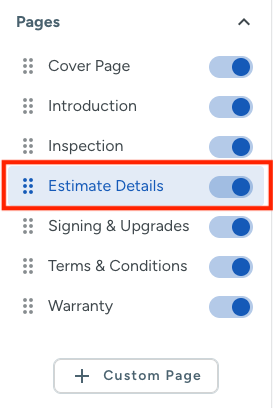
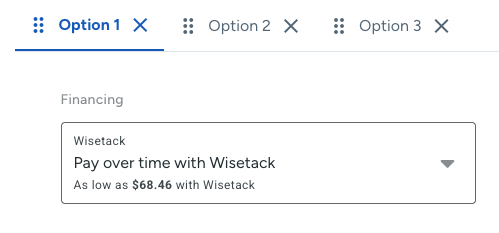
Tip: All estimate options will use the same financing option, and each option page will show it's own payments according to the total for that option.
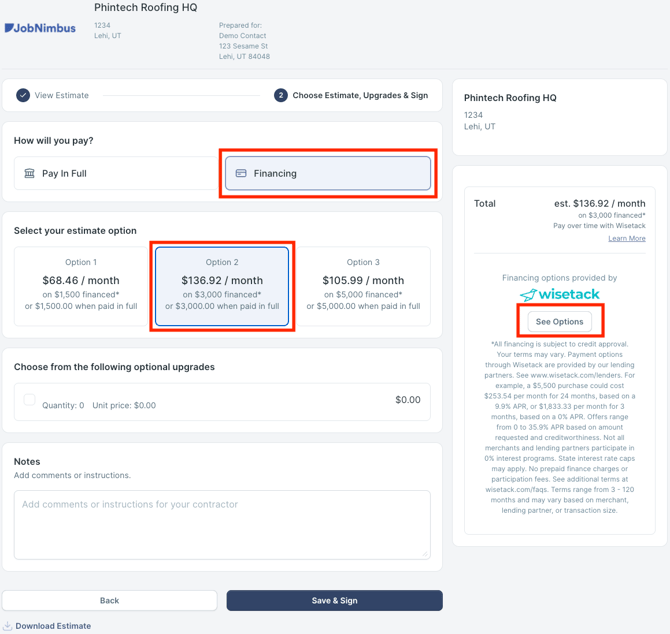
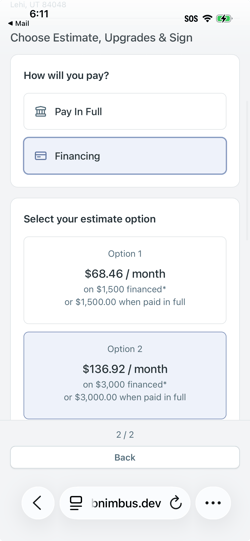
When a customer opens the Estimate to sign it, they choose Pay in Full or Financing. Selecting Financing shows the "as low as" monthly payment for each Estimate option, and the total updates automatically as the customer adds optional upgrades. The customer selects See Options to start a Wisetack application, enters their mobile number to receive a verification code, then continues through Wisetack's application to see their financing options. Customers can start a financing application at any point, including after they've signed the Estimate.
Adding Financing to an Estimate on Mobile
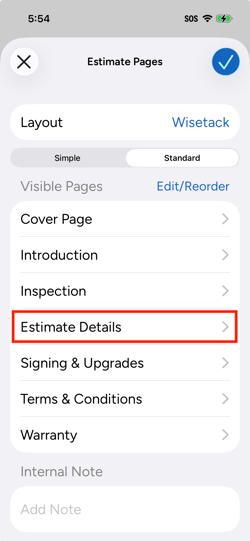
- Open the Estimate and select the Estimate Details.
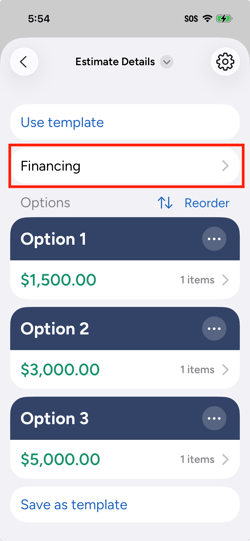
- Select Financing.
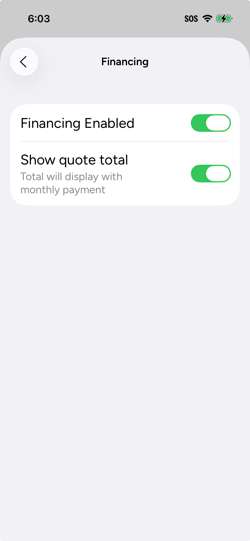
- Turn on Financing Enabled. Turn on Show Quote Total if you want the Estimate total to display next to the monthly payment.
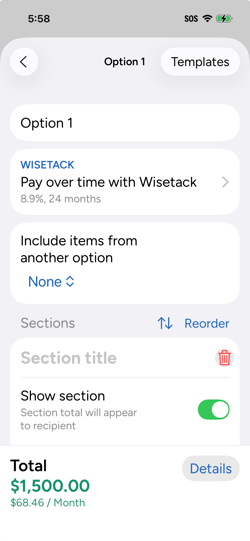
If the Estimate has multiple options, the "as low as" monthly payment appears on each one automatically.
When a customer opens the Estimate to sign it on their own device, they see the same Pay in Full or Financing choice described above, and the same "as low as" pricing and application flow through Wisetack.
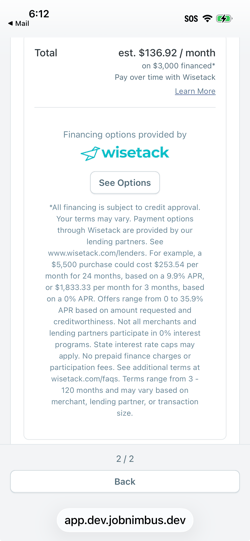
Caution: All monthly payment amounts shown before signing are estimates. The final monthly payment isn't set until the customer selects a loan plan and completes the application.
Note: Wisetack offers financing for amounts between $500 and $65,000. If an Estimate is above $65,000, work with the customer to arrange the remaining amount directly.
With Progress Payments, each loan must be between $1,000 and $25,000. Check out What Are Progress Payments? to learn about the requirements.
Check out What Is JobNimbus Financing? for an overview of the full process, and How Do I Track Financing and Get Paid on a Job? to learn what happens after a customer applies.