![JN_Logo_Long-White@1x.png]](https://support.jobnimbus.com/hs-fs/hubfs/JN_Logo_Long-White@1x.png?height=40&name=JN_Logo_Long-White@1x.png)
On This Page
Use Mark as Signed when your customer signed an Estimate outside JobNimbus, such as on a paper copy. It's available for New Sales Experience Estimates, including Simple Estimates.
Signers and Emails
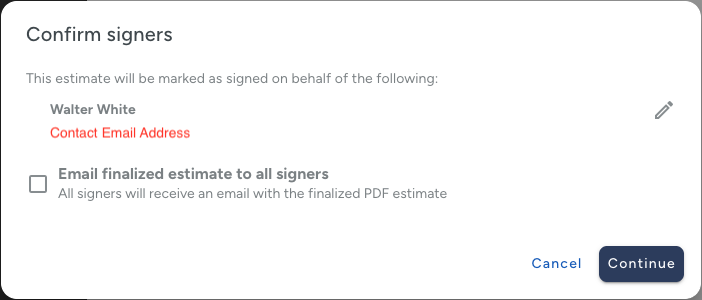
Each signer needs a name and email address, which fill in from the Contact. To correct a signer's name or email, edit the Contact, not the Estimate.
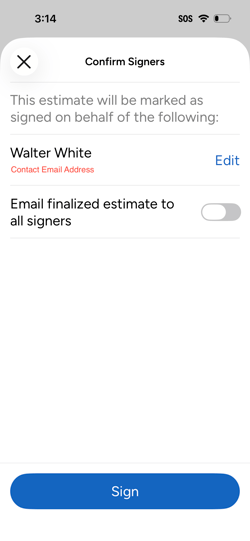
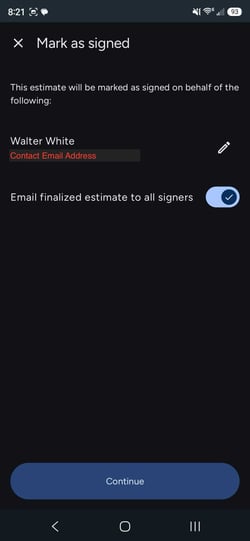
In the Confirm signers window, the Email finalized estimate to all signers box is checked by default. When it's checked, every signer, including your customer, gets an email with the finalized PDF. To skip that email, uncheck the box before you continue. If the Estimate has a required deposit, the box stays checked and can't be changed.
On Web
- Navigate to the Job where you created the Estimate and select the Estimates tab.
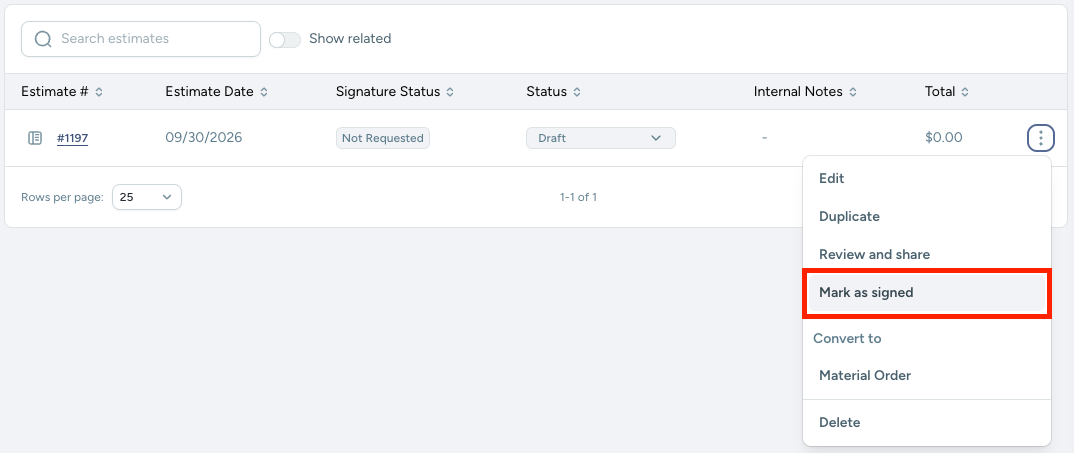
- Select the three dots to the right of the Estimate, then select Mark as Signed.
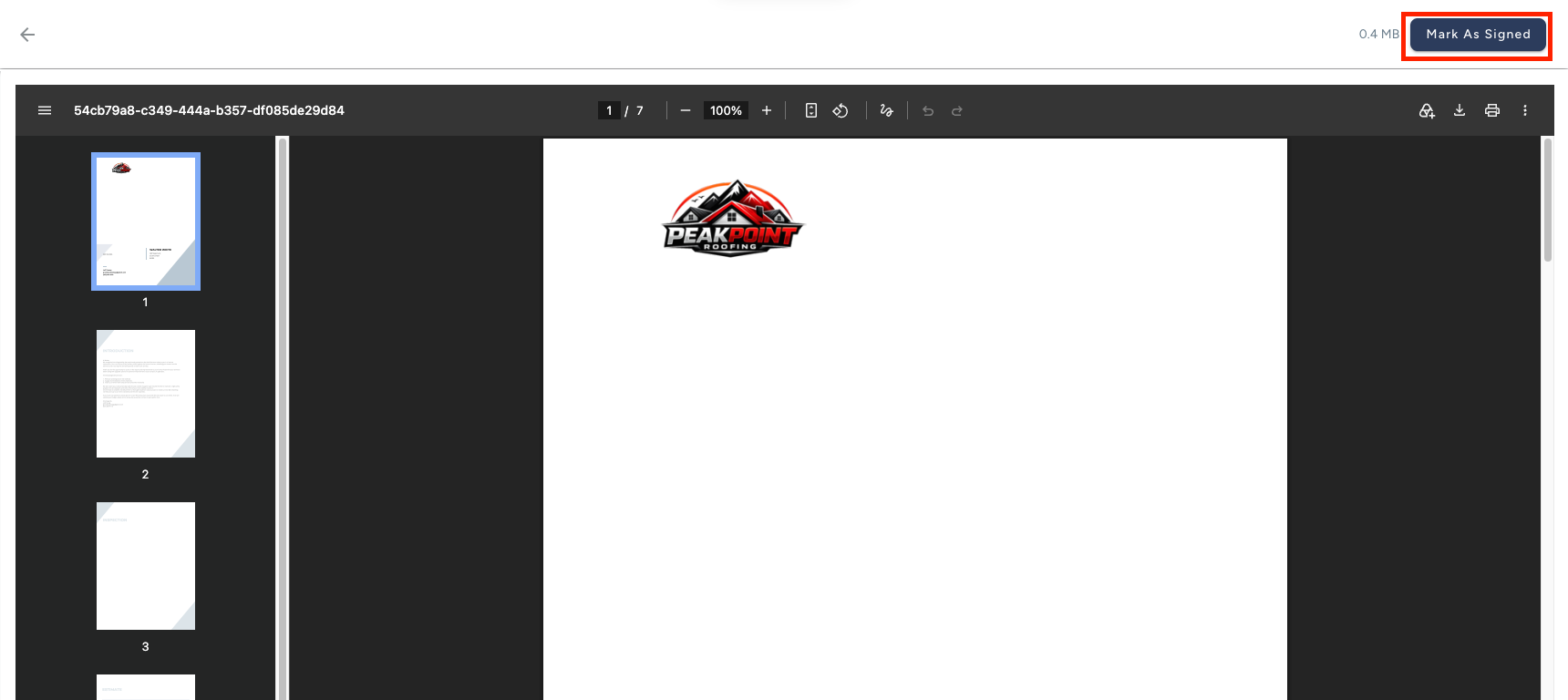
- Select Mark as Signed from the PDF review page.
- Review each signer's name and email in the Confirm signers window and select Continue.
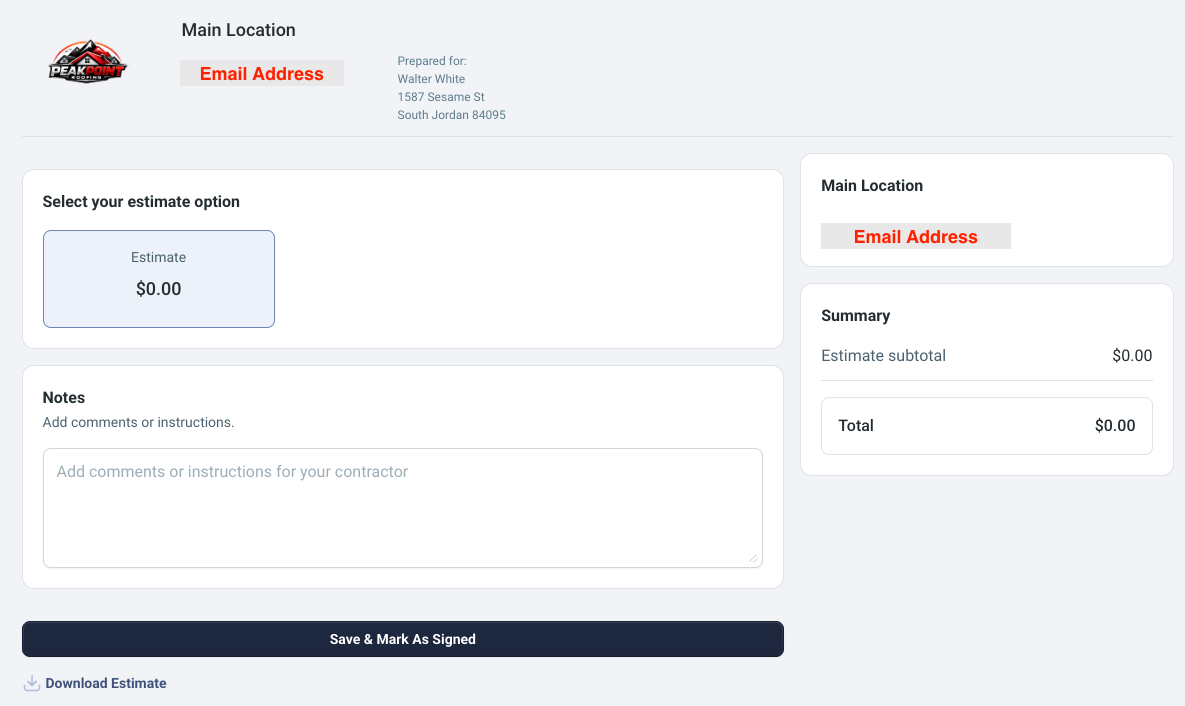
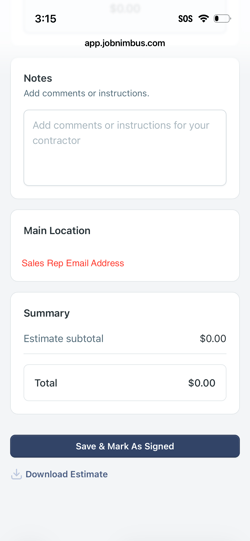
- Select the required estimate option and click Save & Mark As Signed.
On iOS
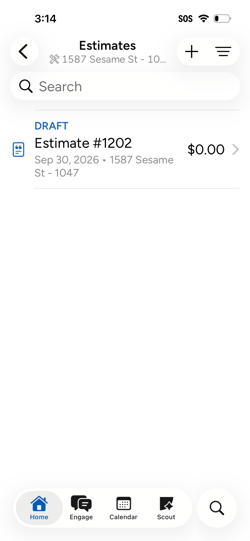
- Navigate to the desired Estimate and tap on it to open up more options.
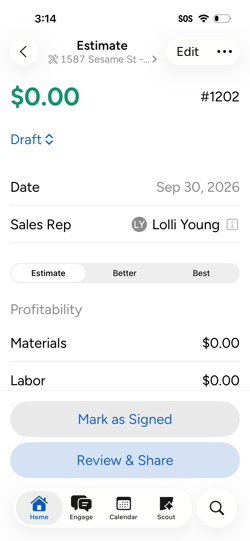
- Tap Mark as Signed.
- Review each signer's name and email in the Confirm signers window and tap Sign.
- Select the required estimate option.
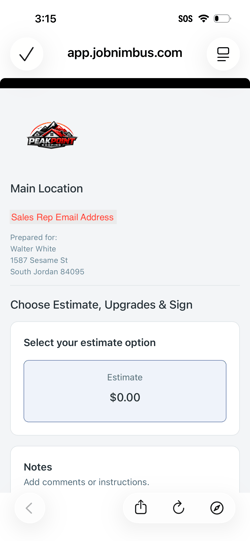
- Select Save & Mark As Signed.
On Android
- Navigate to the desired Estimate and tap on it to open up more options.
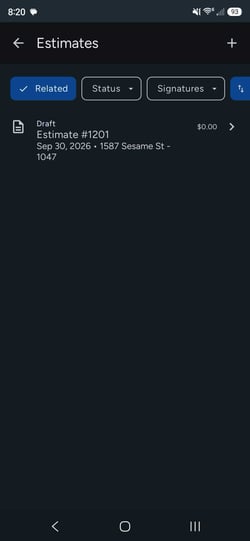
- Tap Mark as Signed.
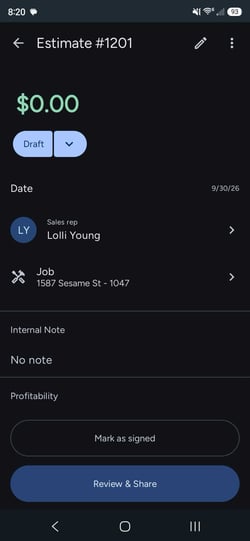
- Review each signer's name and email in the Confirm signers window and tap Continue.
- Select the required estimate option.
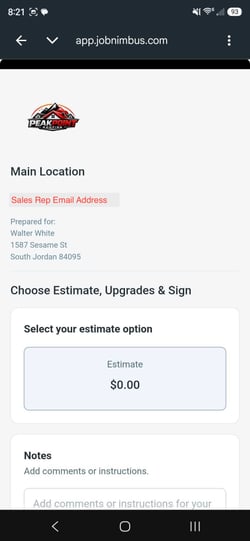
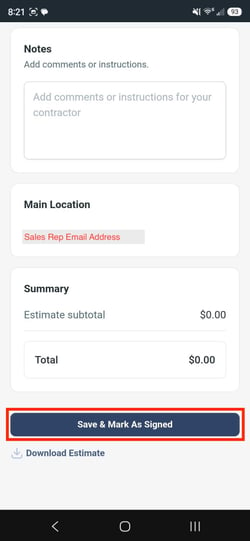
- Select Save & Mark As Signed.
After You Mark an Estimate as Signed
You'll get an email with the signed copy. Other team members on the Job, such as the sales rep, don't.
Once an Estimate is Fully Signed (signed, or Marked as Signed), you can convert it to an Invoice or Work Order. Approved status alone isn't enough. Check out converting an Estimate to learn the rules for each document.
To collect a signature in JobNimbus instead, check out how to send Estimates for signing or sign in-person.